ALGINTE
Build and run Kafka Streams topologies.
Draw the topology, see each step's input and output on real records as you build it, then deploy and monitor it from the console. Only the way you build it is different: what runs is an ordinary Kafka Streams application. Topics, consumer groups, connectors and schemas are there too, as the stream's surroundings. Self-hosted, one container, free to run.
Build Kafka Streams topologies on real records
Connect sources, processors and sinks on a canvas. Each step shows its input and output on real records from your topics while you write its logic, so a step that breaks shows up before anything is deployed. Then deploy the stream from the console, and watch its state, lag and rebalances there.
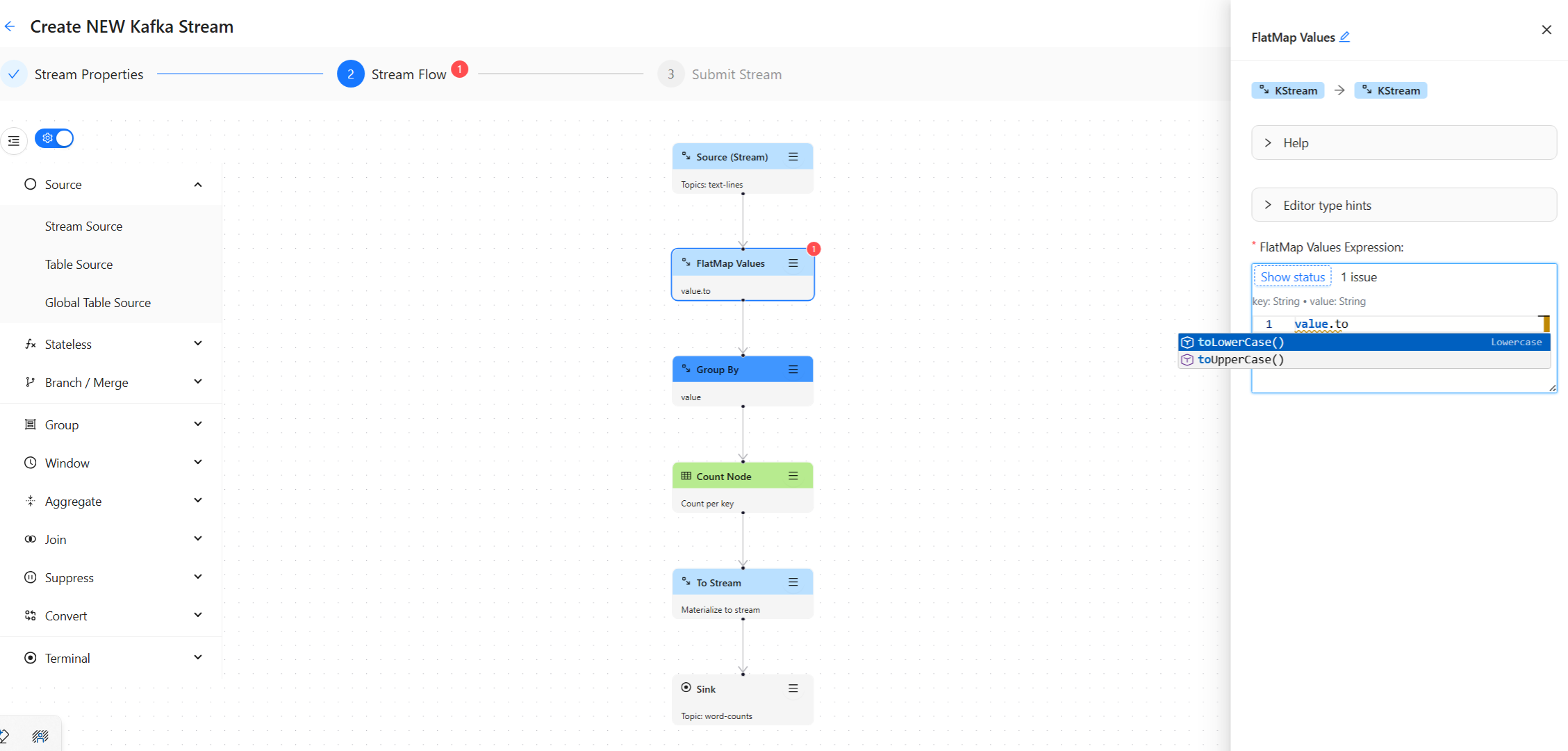
Draw the topology
Drag sources, processors, and sinks onto a canvas and connect them. The full operator set is there — map, filter, flatMap, branch, merge, group, aggregate, reduce, count, windows, joins, cogroup.
Write the logic inline
Transformations are SpEL expressions in an editor that knows your data: the registered schema’s fields at the source, the fields your own expressions produce after it, a real record previewed through every node — aggregates and joins included — and verdicts checked against deployed topologies before you submit.
Deploy without a build pipeline
Submit and the topology runs inside Alginte, next to your cluster — no Java project, no jar to ship, no CI round-trip to test an idea.
Keep the design as JSON
Download any topology — configuration and canvas layout — and upload it back to edit or redeploy. Version it, share it, hand it over.
Watch it run, per node
Live badges on the same canvas you designed on — throughput per node, state-store size on aggregates, stream health as the frame color, and a one-switch DEBUG metrics toggle for real msg/s.
Deployed streams run in your instance and resume from Kafka-side state, so a redeploy picks up where processing left off. Full walkthrough and three importable examples in the Streams builder guide.
Already have a Kafka console? Keep it.
This one exists because a stream needs its surroundings — the topics it reads, the groups that lag, the schemas it binds, the connectors feeding it. Run it for your stream; nothing here asks you to replace what your platform team already runs.
Topics & messages
Browse records point-in-time or live-tail them. Seek by newest, oldest, offset, or timestamp; decode keys and values as String, numbers, Bytes, JSON, JSON Schema, Avro, or Protobuf; produce test messages from a drawer without leaving the page — against any registered version of the schema, not only the latest.
Consumer groups
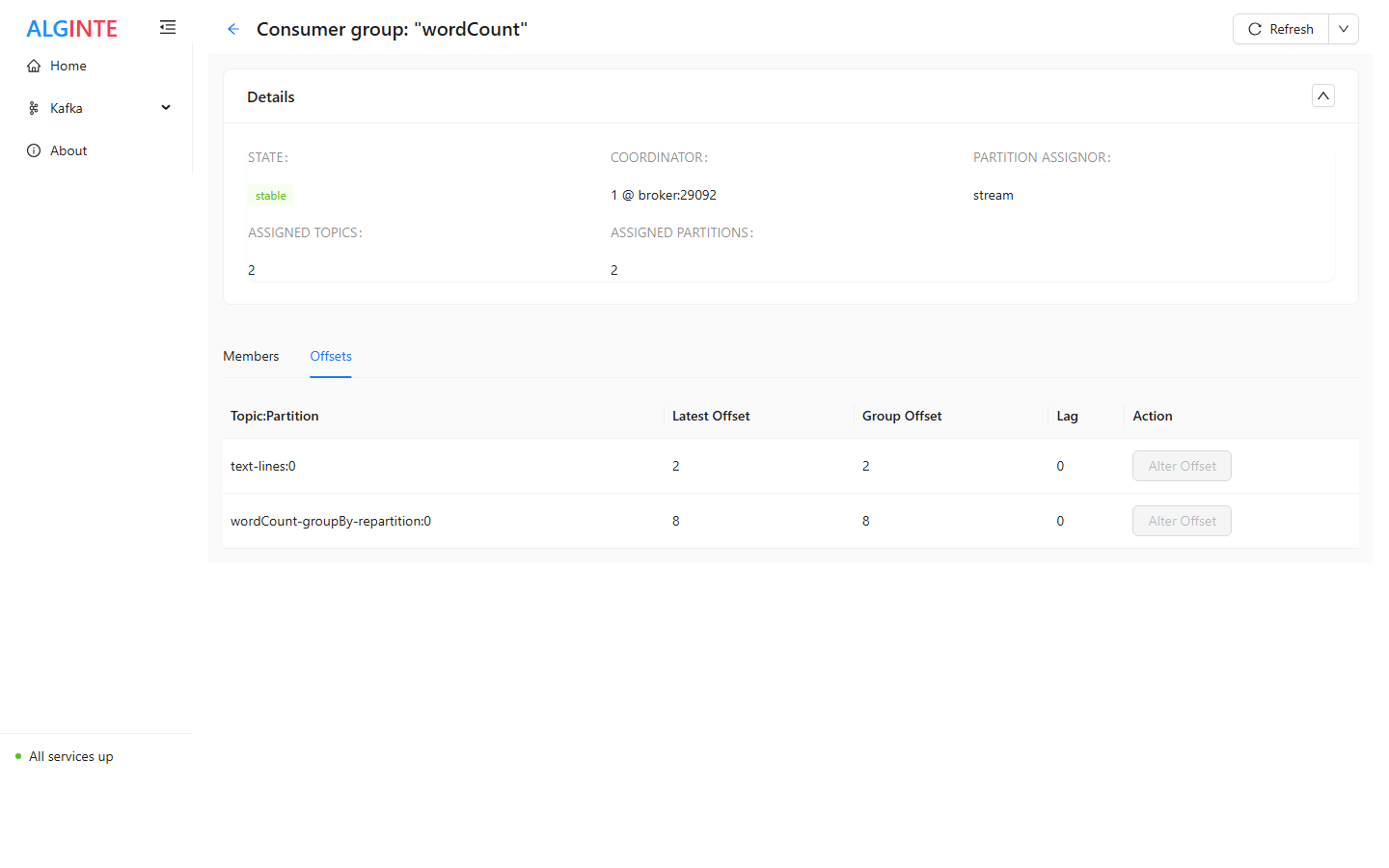
See members, per-partition committed and log-end offsets, and lag at a glance. Reset a partition offset to replay or skip — with the guardrail Kafka requires: only while the group is idle.
Schema Registry
Register Avro, JSON Schema, and Protobuf subjects with the naming strategy you use, diff any two versions side by side, and set compatibility per subject.
Kafka Connect
Create connectors through a form generated from the plugin’s own config — validated against the worker as you type — then watch tasks and restart just the failed ones.
Brokers & ksqlDB
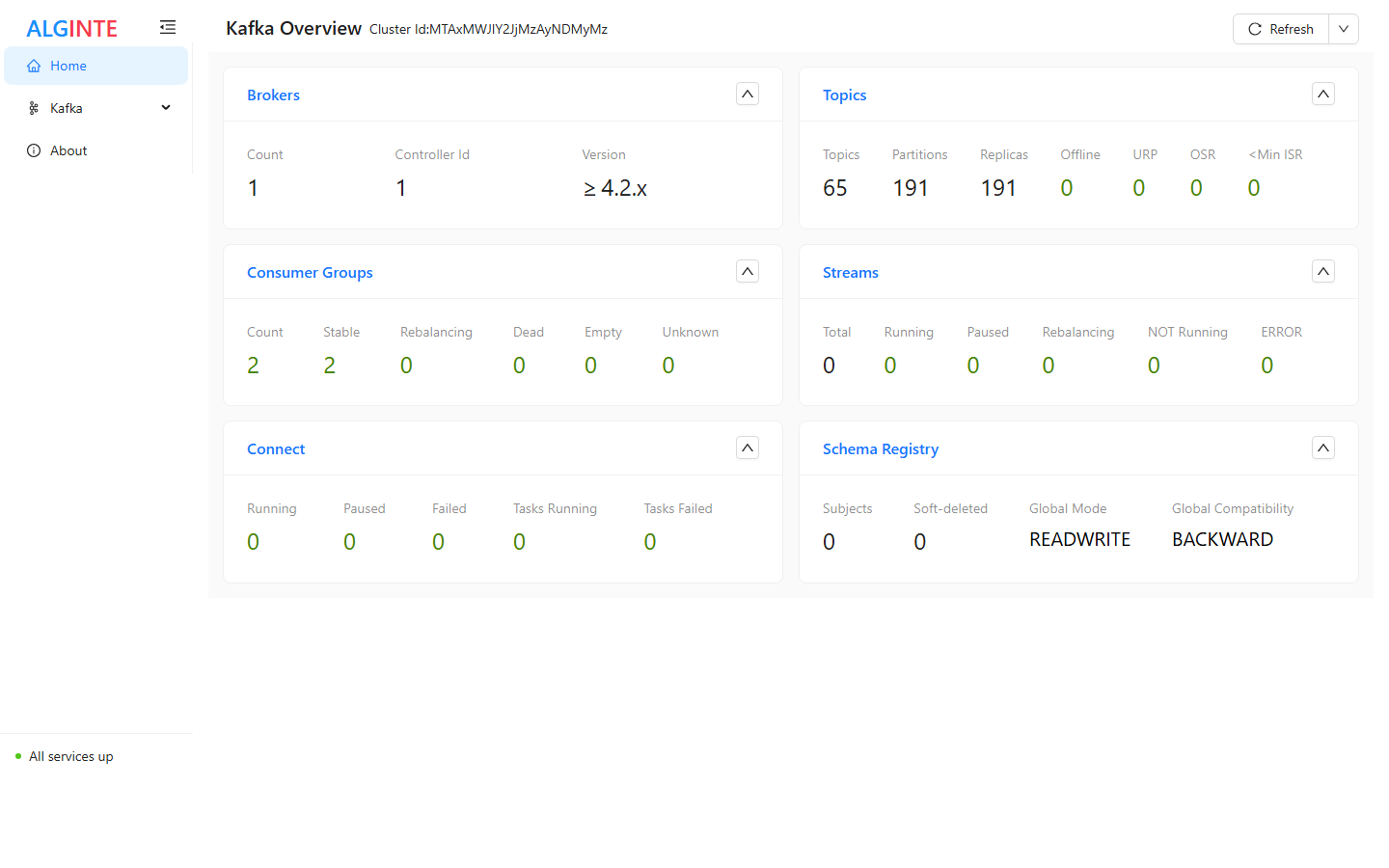
Inspect cluster nodes, their configuration, and which partitions live where. Run ksqlDB statements and pull queries from a built-in editor when a ksqlDB server is configured.
MCP server 0.6.0
Point an MCP client at Alginte and let it read your cluster — topics, groups, schemas, connectors, sampled messages — through read-only, annotated tools.
Why teams run it
Runs next to your cluster
One container or one JAR, self-hosted. It binds to localhost by default, and no data ever leaves your infrastructure — there is no vendor backend in the path.
Free to run, commercially and in production
The Community edition needs no licence key, no registration, and never expires. Air-gapped installs keep working.
Works with your Kafka
Smoke-tested each release against Apache Kafka 3.7 through 4.2, Confluent Platform, and Redpanda — cluster management and deployed stream topologies alike. It connects as a client; nothing is installed on your brokers.
Starts in one command
No database to provision, no operator to install, no sidecars. Point it at your brokers and it is up.
Optional login when you need it
Off by default for a laptop. Turn on a single account, or OIDC against Keycloak, Google, Entra, or Okta with a user allowlist, when it goes on a network.
Download Beta
Latest version: 0.14.0 (release notes). Docker is the recommended way to run Alginte.
Alginte is in beta (0.x): configuration keys, the topology export format, and APIs may change between releases; breaking changes are called out in release notes with migration guidance.
Docker image
Layered image on Docker Hub — small upgrade pulls, runs anywhere.
docker pull alginte/alginte:latest
A reachable Kafka broker is required at startup — point
SPRING_KAFKA_BOOTSTRAPSERVERS at your cluster.
Fat JAR
Self-contained JAR (~186 MB) — frontend + backend in one, for machines where a container is not an option. Download the latest (SHA-256), or pick a version on GitHub Releases.
java -jar alginte.jarBinds to localhost by default — the JAR guide covers exposing it safely.
New here, or no cluster yet? Start in the playground: Alginte with a bundled broker and sample data, one command, isolated on your machine. Design and prove a stream there, then carry it to your cluster as a file.
Full install guide and configuration reference in the documentation.
Get notified of new releases
One email per release — no marketing, unsubscribe any time. Also the first to hear when the Professional edition launches. How we handle your address: privacy.